










































Online Conferencing Tools for Development Practitioners: Finding Your Path to the Right Conferencing Solution
The purpose of this manual from the Association for Progressive Communications (APC) is to guide development practitioners who are making decisions about selecting appropriate online conferencing tools (OCT). Rather than giving suggestions for specific applications and services, it is meant to help readers ask questions that will help them navigate the various OCTs that are available so they can choose the best tool to fit their needs.
As backdrop, the manual explores the question: "Why care about online meeting/conferencing tools?"
- Synchronicity and interactivity - OCTs "give you a richer experience with online collaboration than other tools because they take you closer to being able to work with your team the way you would in a face-to-face meeting. For instance, you can see and hear others (through audio/video features), add your notes to a virtual flipchart, show others a document you are just working on in your word processor, etc. The key is interactivity - people are communicating in real time (synchronously), which allows very different collaboration dynamics than when they exchange documents by email, for example."
- Breaking distances - OCTs "let you bring together people who could not be brought to a real face-to-face meeting because of high travel-related expenses or for other reasons. Particularly in the case of collaboration among international teams, online conferencing can mean huge savings in comparison with working face-to-face."
- Smaller carbon footprint - "By replacing international travel for face-to-face meetings with online conferencing tools, you are decreasing your carbon footprint. This is increasingly important as ICTs play a large role in climate change mitigation."
Additional contents of the manual include:
- Do I need a teleconferencing tool?
- Deciding on the right tool
- Size of my group
- Privacy and security - Who else is in my meeting?
- Interoperability
- Meetings through a browser or through a client application
- Bandwidth voracity
- What special considerations might I have?
- Integration with other tools
- Integration with the phone network
- Access to meeting documentation
- One big service or a combination of smaller ones?
- Third-party hosted service versus self-hosted server application
- Meeting in virtual worlds - new way of teleconferencing
- Glossary
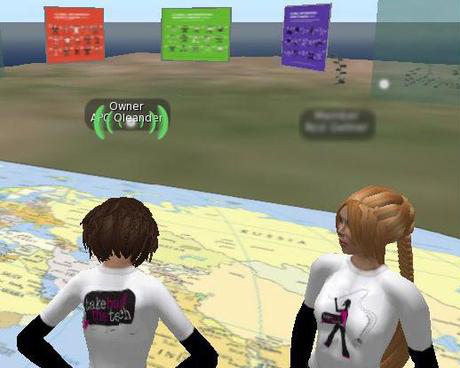
One text box within the manual explores a new way of teleconferencing: meeting in virtual worlds (as pictured in the image above). An example of a meeting space built in a virtual world is D-Island, which is an open development space built in SecondLife that hosts several venues available to development organisations for hosting meetings and training events. Links to these and other resources are provided within the resource.
English.
12
APC website, April 20 2012.
- Log in to post comments